The iPhone 13 series introduced a range of impressive features, but wireless charging stands out as a convenient option for users wanting a cable-free charging experience. If you're an iPhone 13 owner, understanding the ins and outs of wireless charging will help you get the most out of this feature. In this article, we’ll cover everything you need to know, from how it works to the best chargers and accessories for efficient and safe wireless charging.
Wireless charging works through a process known as inductive charging. The iPhone 13 includes a coil inside the device, which, when placed on a compatible wireless charger, induces an electromagnetic field. This field transfers energy to your device’s battery without the need for a physical connection.
The iPhone 13 series supports Qi wireless charging, an industry standard that many Android and Apple devices also use, making it versatile with various chargers. It also supports MagSafe charging, a faster and more efficient option designed specifically for iPhones.
While the iPhone 13 is compatible with any Qi-enabled charger, MagSafe chargers are optimized for iPhones. MagSafe uses a series of magnets to align your iPhone perfectly with the charger, ensuring a more consistent and reliable charging experience.
Faster Charging Speeds: MagSafe can deliver up to 15W of power to the iPhone 13, making it faster than the 7.5W power output of standard Qi chargers for iPhones.
Magnetic Alignment: The magnet system helps align your iPhone to ensure the most efficient charging angle, reducing interruptions from misalignment.
While the iPhone 13 can charge with almost any Qi-enabled wireless charger, not all chargers are created equal. Here are some key things to consider:
Charging Speed: For faster charging, consider a MagSafe charger or a high-wattage Qi-certified charger.
Compatibility: Stick to Apple-certified chargers or those from reputable brands like Belkin and Anker to avoid issues with overheating or inefficiency.
Build Quality: Look for chargers with good thermal management and sturdy materials for longevity and safety.
While wireless charging is incredibly convenient, it’s generally slower than wired charging. The iPhone 13 charges at up to 15W with MagSafe but only up to 7.5W with Qi chargers. By comparison, a wired connection with an Apple 20W charger can reach much higher speeds, giving you around 50% battery in just 30 minutes.
Wireless charging is best for overnight charging or top-ups during the day. If you need a quick charge, using a wired fast charger is still the best option.
Yes, you can use a case while wirelessly charging your iPhone 13, but there are a few things to keep in mind:
MagSafe Cases: Apple offers MagSafe-compatible cases that have built-in magnets to maintain alignment with the charger. These cases ensure you get the full benefit of MagSafe charging speeds.
Thickness and Material: Most Qi chargers can handle cases up to about 3mm thick. Avoid cases with metal parts or extremely thick designs, as these may interfere with charging.
Wireless charging is safe for the iPhone 13, as Apple has designed it to handle this type of charging without harming the battery. However, here are some tips to maintain optimal battery health:
Avoid Overnight Charging: Wireless charging can generate more heat than wired charging, and while Apple devices have safety features, it’s better to avoid prolonged charging when possible.
Use Optimized Battery Charging: The iPhone 13 has a feature called Optimized Battery Charging that learns your charging habits and slows down charging when it expects you won’t be using the device soon.
Occasionally, users may encounter issues with wireless charging, such as slow charging, overheating, or inconsistent charging. Here’s how to troubleshoot these problems:
Reposition the iPhone: Misalignment can cause slow or inconsistent charging. Make sure your device is centered on the charging pad.
Check for Foreign Objects: Metal objects like keys or coins can interfere with charging and generate heat. Remove any such items from around the charger.
Keep Your Charger Clean: Dust or debris on your wireless charger can reduce charging efficiency. Regularly clean the surface with a soft, dry cloth.
Apple’s MagSafe Duo Charger allows you to charge an iPhone 13 and an Apple Watch simultaneously. For those with AirPods or additional devices, many third-party charging stations support multiple devices at once, streamlining your setup. Just ensure your charger can handle the power output needed for each device.
Yes, wireless charging is perfectly safe for daily use. Apple has engineered the iPhone 13 to manage heat well, and as long as you use certified chargers, the risk to your device is minimal. However, remember that wireless charging produces more heat than wired charging, so keeping your iPhone cool by charging in a ventilated area is always a good practice.
The iPhone 13’s MagSafe compatibility opens up possibilities beyond just wireless charging. MagSafe accessories like wallets, stands, and car mounts magnetically attach to your device, enhancing functionality without interfering with charging. You can charge your phone wirelessly while using most of these accessories, as long as they are MagSafe-compatible.
Wireless charging on the iPhone 13 is a convenient and efficient way to power up your device. Whether you prefer Qi or MagSafe charging, understanding the differences, compatible accessories, and best practices can help you make the most of this feature. Remember to use certified chargers, keep your device cool, and use cases and accessories that support MagSafe for the best wireless charging experience.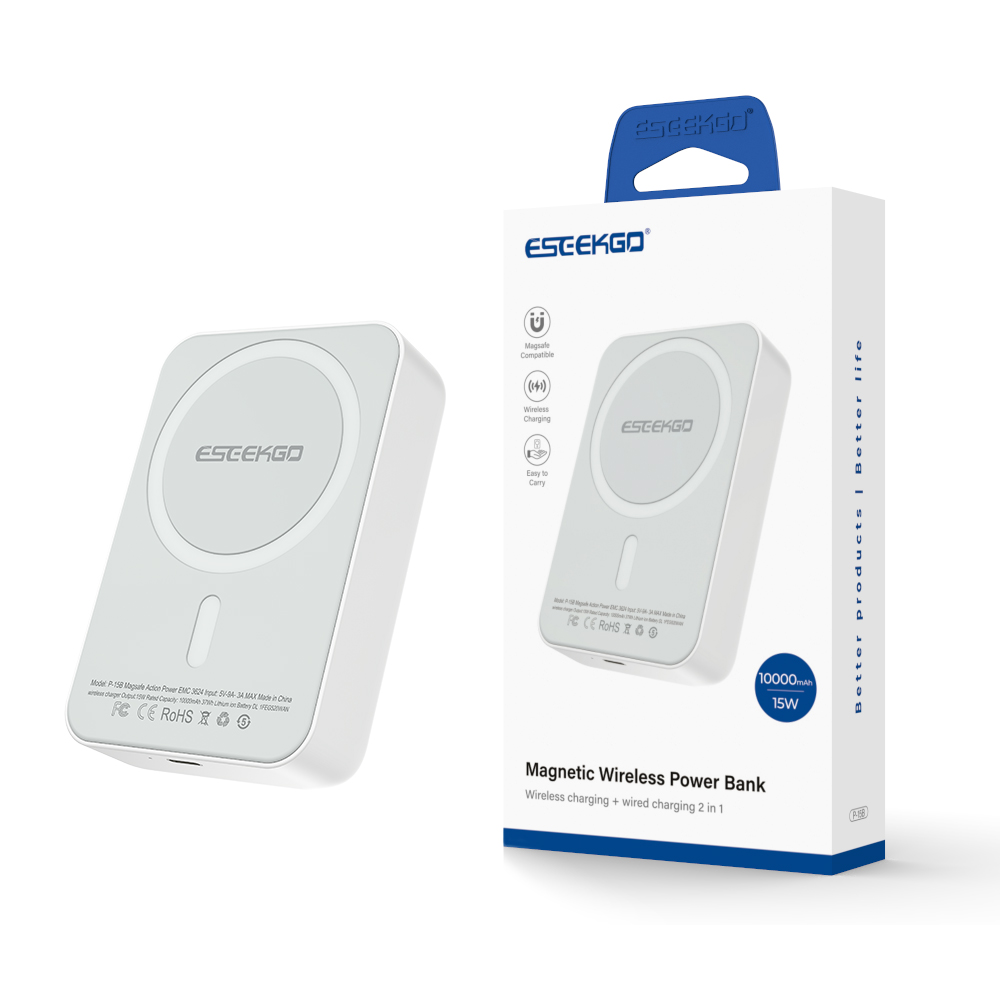
ESEEKGO P-15B 10000mAh 15W Magnetic Wireless Power Bank & 1.3FT USB-C To C Charging Cable
Multifunctional 2 IN 1 Charging :Magnetic wireless and one Type-C port charge. You can use the power bank to charge two devices at the same time.
10000mah&Fast Charging : Magsafe portable charger support wireless charge up to15W.
Strong Magnetic: With the newest magnetic technology, built-in powerful magnets and precisely aligned and fit with your iPhone, which greatly increases the speed of wireless charging. MagSafe power bank can directly hold the back of your phone.
Superior Safety Protection: The magnetic wireless power bank equiped with built-in intelligent temperature control, overcharge security, short curcuit protection, reset protection, high-temperature protection, and more to ensure the safety of your phone.

