Apple’s iPhone 16 lineup promises impressive new features, including advancements in battery life and performance. But one question many iPhone users are asking is: what kind of charger does the iPhone 16 use? With every new generation, Apple makes changes that impact accessories like chargers, so it’s important to stay informed.
In this article, we’ll dive into everything you need to know about iPhone 16 chargers, from the switch to USB-C to fast charging capabilities, and the best accessories to optimize your charging experience.
After years of using the Lightning port, Apple finally adopted USB-C charging for the iPhone 16. This shift aligns with industry standards and makes charging more convenient for those who already own USB-C devices. Here’s why this change matters:
The iPhone 16 supports fast charging, a feature that has become essential for users with busy lifestyles. With USB-C Power Delivery, you can charge your iPhone 16 up to 50% in just 30 minutes, but there are some key points to consider:
If you’ve invested in Apple’s MagSafe ecosystem, you’ll be pleased to know that the iPhone 16 is fully compatible with MagSafe charging. MagSafe offers a more convenient, wireless charging option by snapping the charger magnetically to the back of your phone.
Here’s what you need to know about MagSafe charging on the iPhone 16:
With so many options on the market, choosing the right charger for your iPhone 16 can be overwhelming. Below are some of the top-rated chargers and accessories to enhance your iPhone 16 charging experience:
Apple 20W USB-C Power Adapter: For reliable fast charging, Apple’s own 20W power adapter is the safest choice. It’s compact, efficient, and optimized for iPhone charging.
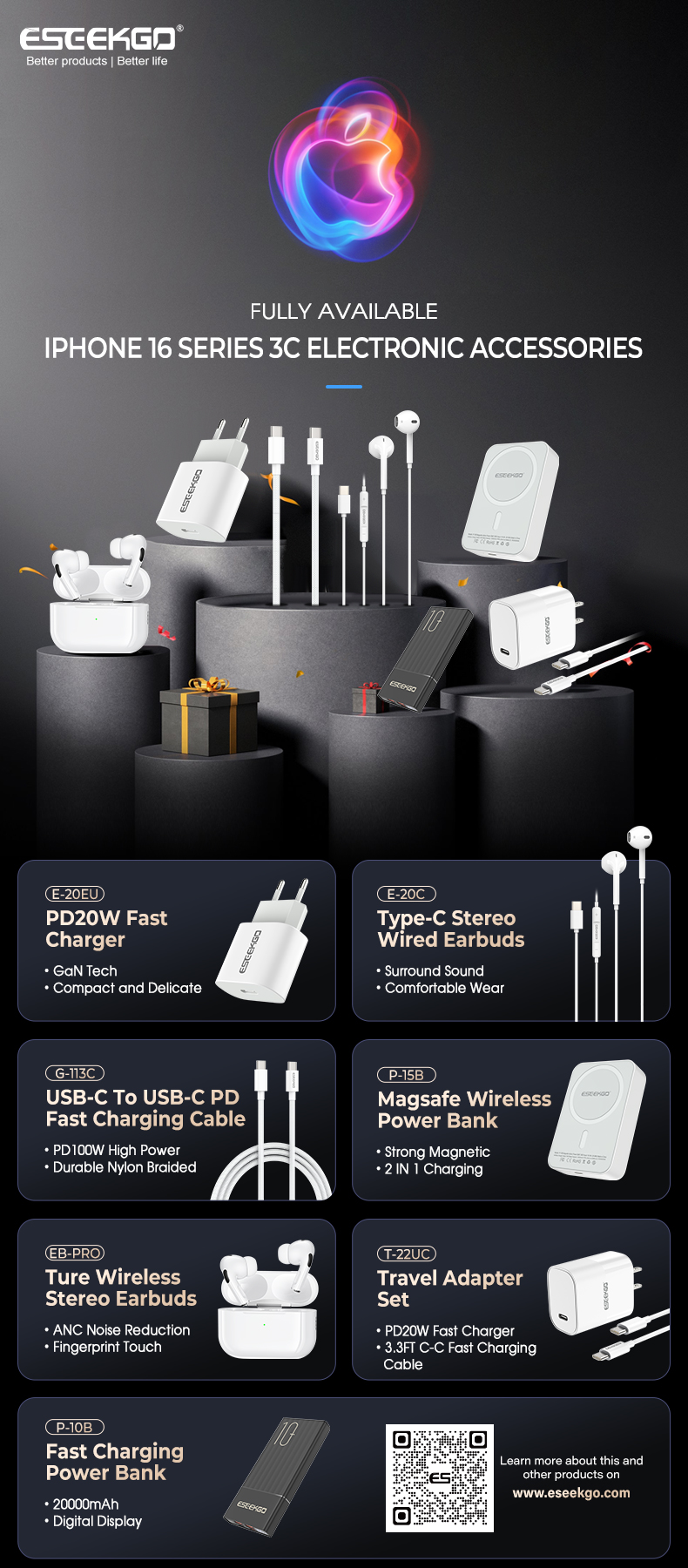
ESEEKGO PD20W USB-C Travel Adapter: If you’re looking for a more affordable third-party alternative, ESEEKGOO’s 20W charger is compact and delivers fast charging speeds at a lower price point.
ESEEKGO 2-in-1 Wireless Charger with MagSafe: This is perfect for those who want to charge their iPhone, Apple Watch, and AirPods simultaneously. It offers a sleek, all-in-one solution that saves space and reduces clutter.
ESEEKGO USB-C+USB-A Charger (65W): Ideal if you need more power for additional devices, this charger supports multiple charging standards and can even charge your MacBook alongside your iPhone 16.
Apple MagSafe Charger: For those who prefer wireless charging, Apple’s MagSafe charger is a great way to charge your iPhone 16 wirelessly while benefiting from fast 15W charging.
Even with fast charging, it’s important to ensure that you’re taking care of your iPhone 16’s battery. Here are some tips to preserve battery health and longevity:
Avoid Overnight Charging: While modern iPhones have software to prevent overcharging, it’s still a good idea to unplug your phone once it reaches 100% to avoid heat build-up.
Use Optimized Battery Charging: Enable this setting in your iPhone 16’s battery settings to slow the rate of battery aging. Your iPhone will learn your charging habits and delay charging past 80% until you need it.
Keep Your iPhone Cool: Excess heat can damage your battery over time. Avoid charging your iPhone in hot environments, and remove your phone from cases that may cause it to overheat during charging.
One question that comes up often is whether wireless charging is slower than wired charging. The answer is generally yes, but the difference isn’t dramatic if you’re using the right accessories.
Wired Charging with USB-C: Using a 20W USB-C charger will charge your iPhone 16 faster than most wireless options, especially if you’re using Power Delivery.
MagSafe Charging: Wireless charging with MagSafe is faster than traditional Qi wireless chargers but still slower than wired charging. If speed is a priority, wired is the better option.
The iPhone 16 introduces important updates to its charging capabilities, most notably the transition to USB-C and improved fast charging. Whether you prefer wired or wireless charging, there are plenty of options to meet your needs. From Apple’s official chargers to reliable third-party alternatives, you can find the right accessories to keep your iPhone 16 powered up efficiently.
Make sure to choose chargers and cables that support fast charging, and follow the tips mentioned above to maintain your iPhone’s battery health. With these insights, you’ll be well-equipped to maximize your iPhone 16’s charging performance!